
Detail Transaction Activity
A Detail Transaction Activity inquiry shows transactions within a specific month “Period.” Use this form to isolate fiscal year end accrual transactions at June 30. Period 14 is the fiscal year end accrual period which is also part of June activity. Performing searches or a review of transactions that have posted during a period is quicker than printing a FGRODTA report.
- Leave “E” in the “COA:” field and press tab to enter a two digit Fiscal Year as (i.e. 19). Press Tab, enter the index and press Tab again. The fund, org and program will populate automatically:
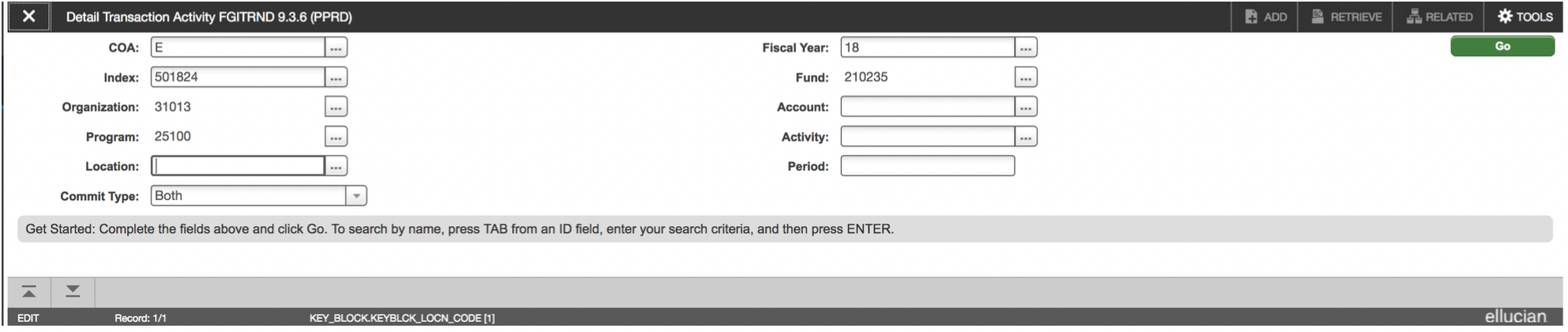
- Determine which month or “period” activity to view. The “period” number is based on EWU’s fiscal year (i.e. July is period 01, August is period 02…June is period 12). Enter the period and select the “Next Block” down arrow icon located at the bottom left of the screen.
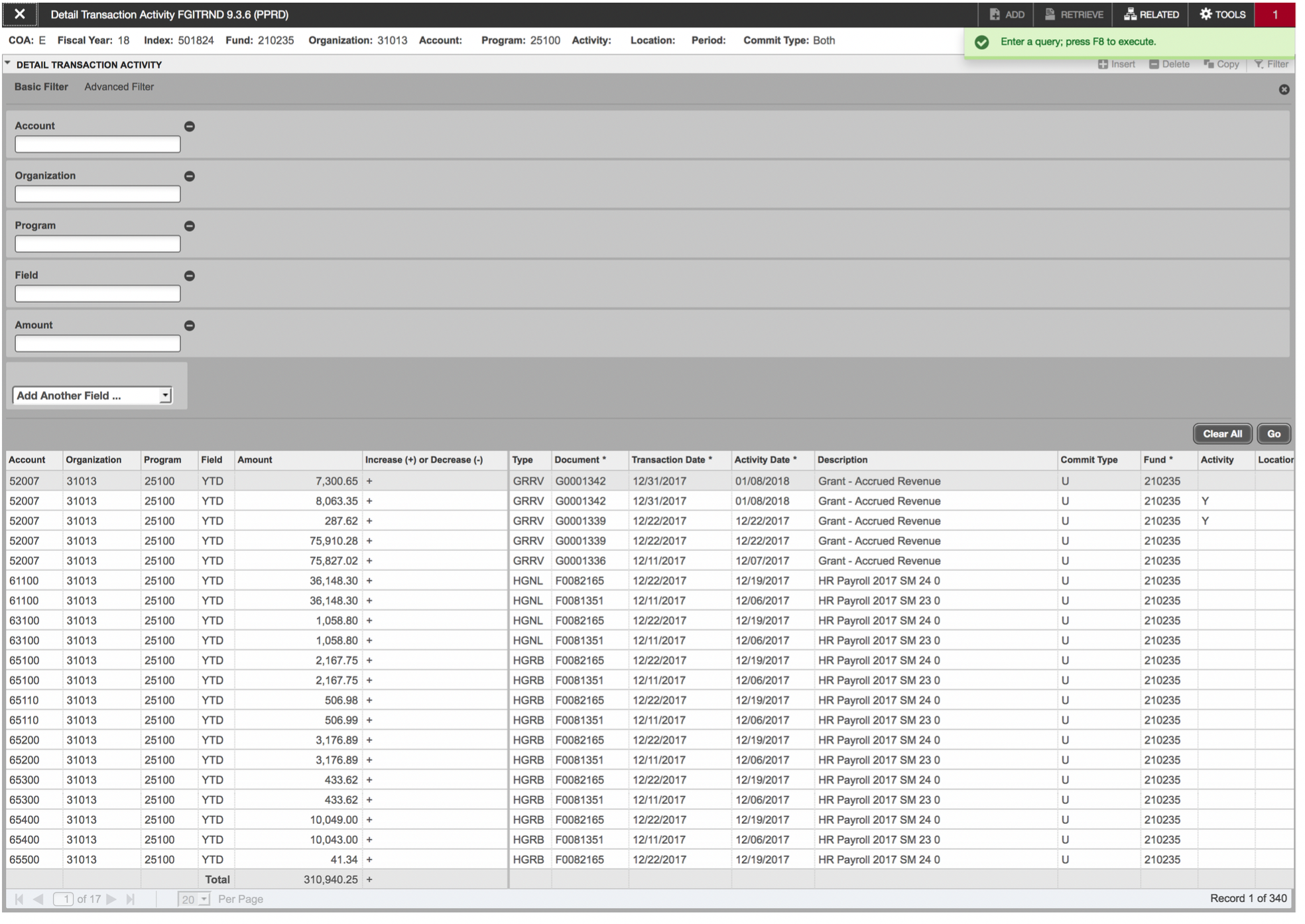
- Next, click “Go” and the transactions for that period will populate:

- Use the arrows and row display dropdown under the transactions to view additional transactions: